

Key Takeaways
- Standardized room designs cut training time and reduce support tickets by making every space operate the same way
- Consistent interfaces improve adoption rates, especially for remote participants joining hybrid meetings
- Long term costs drop because spare parts inventory shrinks and troubleshooting gets faster
- Effective standardization requires early coordination between AV, IT, architects, and furniture teams
- Standards should flex by room type but stay consistent within each category
- Rolling out standards across existing portfolios takes phased planning but pays back quickly
1. What Room Standardization Actually Means
Standardization does not mean forcing the same equipment into spaces with different needs. A ten person huddle room and a forty-person training room require different gear.
What it does mean is creating repeatable patterns within each room category. Every huddle room uses the same touch panel interface and the same steps to start a meeting. Every boardroom follows the same cable management approach. Every training space has cameras mounted in the same position relative to the front display.
The goal is operational consistency. When a team member walks into any conference room, they see familiar controls in predictable locations. The learning curve flattens. Support calls go down.
In practice, standardization touches several layers:
- User interface design and control logic
- Equipment selection and mounting locations
- Cable pathways and infrastructure placement
- Room scheduling and calendar integration
- Support workflows and monitoring systems
2. The Real Cost of Inconsistent Rooms
Inconsistent AV environments create costs that accumulate over time and affect multiple parts of the organization.
Support burden grows when IT teams need to remember twelve different room configurations. A technician spends extra time per ticket because they have to relearn the system every time they walk into a different space.
User adoption suffers when presenters cannot rely on muscle memory. Someone who presents frequently in the east building has to start over when they move to the west building. Meetings get delayed. People stop using features like wireless screen sharing because they are not sure if it will work the same way.
Training becomes fragmented. Instead of one guide that covers all spaces, you need separate instructions for each room type. New hires get confused. Consultants visiting for the day have no idea where to start.
Inventory management turns into a puzzle. When you have six different display brands and three conferencing platforms, your spare parts closet becomes a warehouse. You cannot swap components between rooms during an emergency.
3. Building Standards That Work
Effective room standards balance consistency with flexibility. Start with room types based on how spaces get used:
- Small huddle rooms for quick syncs
- Medium conference rooms for team meetings
- Large boardrooms for executive sessions
- Training rooms with instructor led formats
- Specialty spaces like town halls
Within each category, establish standards for user experience, equipment selection, physical layout, and integration points. Every room in the same category should power on the same way, display content through the same steps, and connect to video calls using the same process.
Narrow down to one or two preferred manufacturers per equipment type. This means selecting reliable platforms that your team knows how to support and that integrate cleanly with your network. Consistency in product families makes firmware updates, troubleshooting, and repairs more efficient.
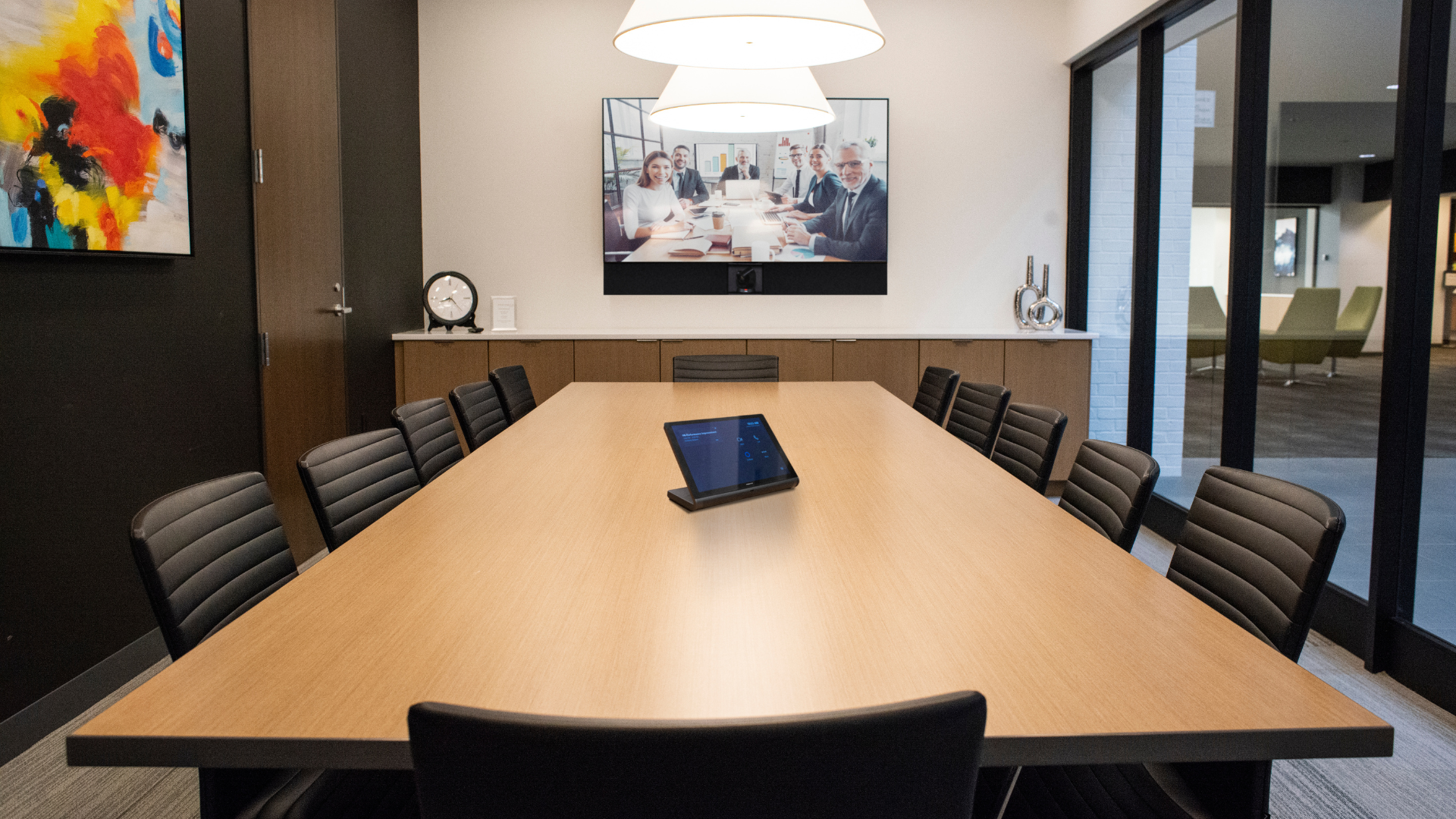
Cameras mount in the same position relative to displays. Control panels sit in the same spot on the table. This physical consistency helps both users and technicians navigate spaces without hunting for components.
4. Coordinating with Architecture Early
Room standardization works best when it starts during the architectural phase. AV decisions affect infrastructure, furniture, and finishes. Waiting until walls are up limits your options and creates expensive rework.
Begin conversations with architects and interior designers as soon as floor plans take shape. Discuss where displays will mount, how cables will route, and where control touch panels need to land on tables or walls.
Furniture coordination matters more than many teams realize. A conference table with built in power needs to align with where displays and cameras sit. If the table vendor does not know the AV plan, you end up with cables draped across surfaces.
Work with architects to plan conduit paths and ceiling access points. Infrastructure decisions made early save thousands of dollars compared to cutting into finished walls later.
When architecture, furniture, and AV coordinate from the start, rooms come together cleaner. Installation goes faster. The end result feels intentional instead of improvised.
5. Rolling Out Standards Across Existing Spaces
Standardizing AV across an existing portfolio takes phased planning. Start by auditing what you have. Document each room's current equipment and identify which spaces generate the most support tickets. Those become candidates for early upgrades.
Group rooms by priority. High visibility spaces like executive boardrooms often justify faster upgrades. High traffic spaces deliver quick ROI because improvements benefit more users daily.
Look for natural refresh cycles. Displays and projectors have finite lifespans. Coordinate upgrades with equipment already nearing replacement. This spreads costs over time.
When you do upgrade a room, bring it fully into the new standard rather than doing partial fixes. Communicate changes clearly to users with quick reference guides and brief training sessions.
6. Long Term Benefits You Can Measure
The value of room standardization shows up in multiple ways. Support efficiency improves when technicians know exactly what to expect in each room type. Average resolution time drops.
Training costs decrease. Onboarding new employees takes less time when all rooms work the same way. You create one set of documentation instead of many.
User adoption rises. When people trust that the technology will work consistently, they use more features. Wireless presentation gets adopted widely. Video calls improve because users know where the camera is.
Inventory management simplifies. Fewer SKUs mean better volume pricing and shorter lead times. Components become interchangeable across rooms.
Upgrades and expansions become more straightforward. Adding a new building goes faster when you have established patterns to follow.
FAQs
How do we standardize across multiple buildings that were designed at different times?
Start with your user interface layer. Even if backend equipment varies, you can create a consistent control experience through unified touch panel programming. Then address infrastructure standards as buildings come up for renovation or refresh cycles.
What if our team wants different video platforms in different regions?
Create separate room standards for each platform but keep each category internally consistent. Focus standardization within each platform rather than forcing everyone onto a single platform immediately.
Can we standardize without replacing everything at once?
Yes. Prioritize high traffic and high visibility rooms first. Upgrade incrementally as equipment reaches end of life. The key is ensuring that each upgraded room fully meets the new standard.
Who should own room standards in an organization?
Most successful efforts involve shared ownership between IT operations, AV support, and facilities teams. One group coordinates and maintains documentation, but input should come from all stakeholders including end users.
How often should room standards be reviewed and updated?
Plan for annual reviews to assess whether the standard still meets user needs. Major revisions typically happen every three to five years as equipment generations change.
Ready to Build Consistency Into Your Meeting Spaces?
Room standardization delivers value across your entire organization. Users gain confidence. Support teams work more efficiently. Training becomes simpler. Costs come down over time.
Whether you are planning a new building, renovating existing spaces, or looking to bring more consistency to your current conference rooms, Spye can help you develop standards that balance user needs with operational efficiency.
We work with organizations to create room standards that fit your specific environment, then support implementation across your portfolio. See examples of standardized installations at https://www.spye.co/projects or reach out through our contact page to discuss your upcoming projects.

.png)
